sales06@switek.biz

+86 186 5927 5869

Shopping

Subscrib to Us
sales06@switek.biz
+86 186 5927 5869
Shopping
Subscrib to Us

Keywords:Panasonic A6 Servo Installation Instruction, Panasonic A6 Driver, Panasonic A6 Series Servo Motor Manual
To change the monitor display setting, select the display option to be changed from "
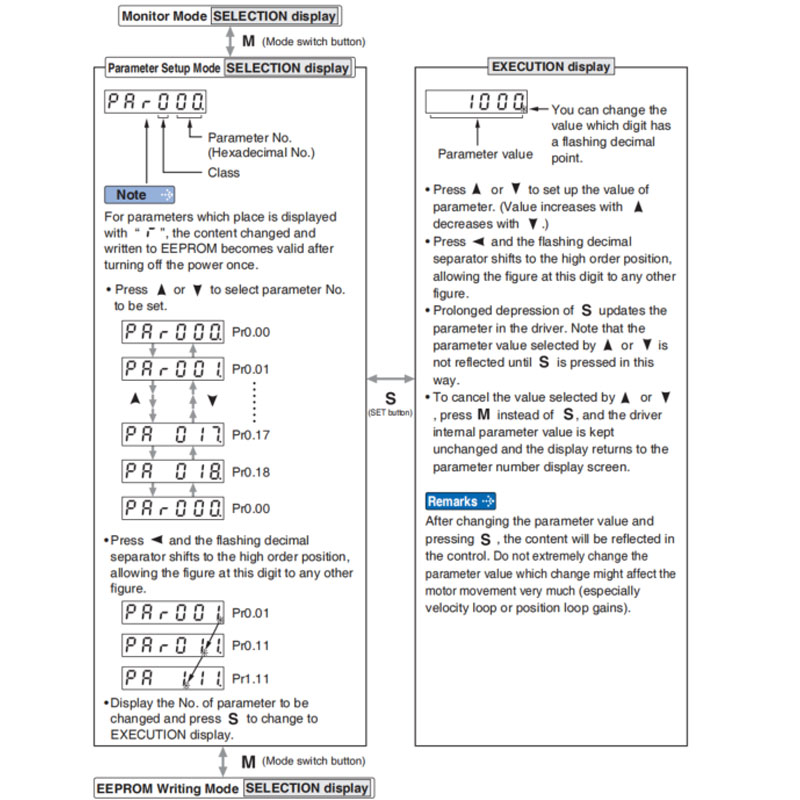
Note → • After setting up parameters, return to SELECT mode, referring to structure of each mode (P.4-42).
• Each parameter has a limit in number of places for upper-shifting.
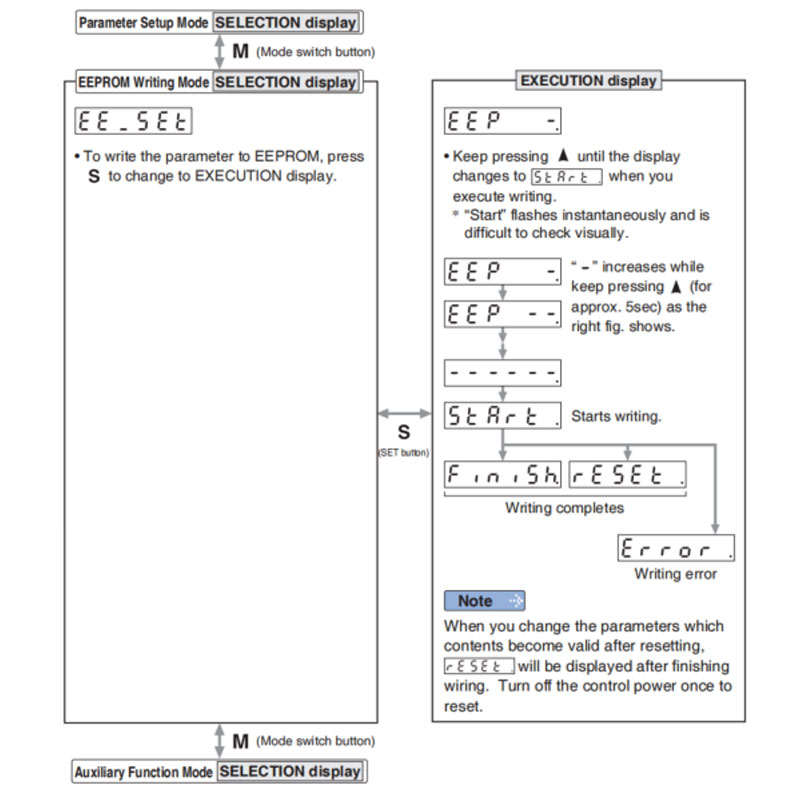
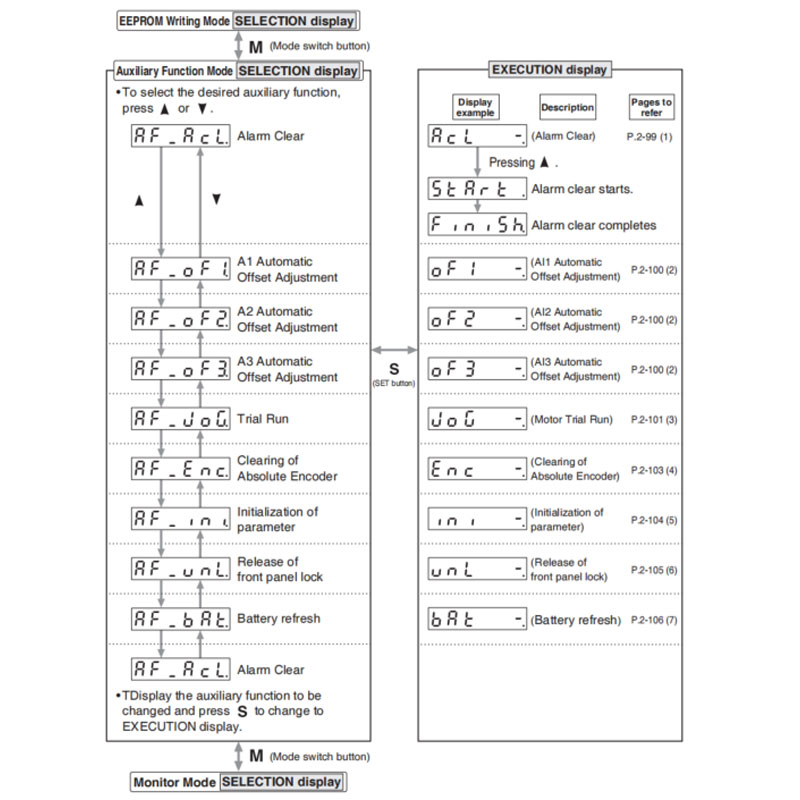
This function releases the current alarm status. Certain alarms will persist. If this is the case, refer to P.6-2 "When in Trouble - Protective Function".
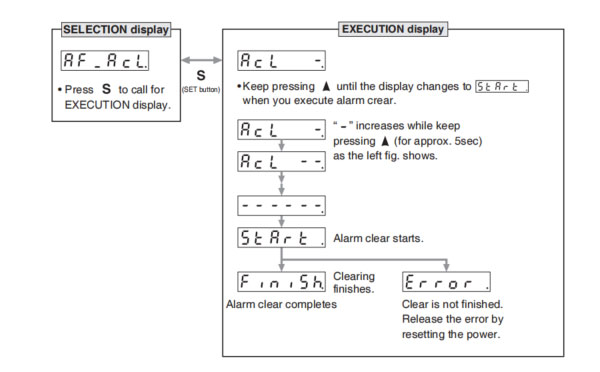
Note → • After alarm cleaning, return to SELECTION display, referring to structure of each mode (P.2-76).
This function automatically ajusts offset setting of analog input.
Analog input 1 (Al1)……Pr4.22 (Analog input 1(Al1) offset setup)
Analog input 2 (Al2)……Pr4.25 (Analog input 2(Al2) offset setup)
Analog input 3 (Al3)……Pr4.28 (Analog input 3(Al3) offset setup)
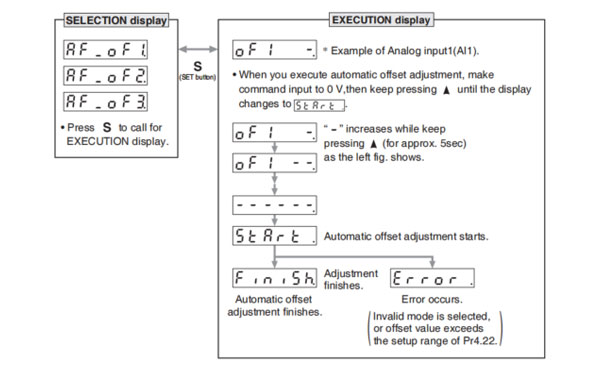
Remarks → • You cannot write the data only by executing automatic offset adjustment. Execute a writing to EEPROM when you need to reflect the result afterward.
Note → • After completion of the automatic offset adjustment, return to SELECTION display by referring to P.2-76 "Structure of Each Mode".
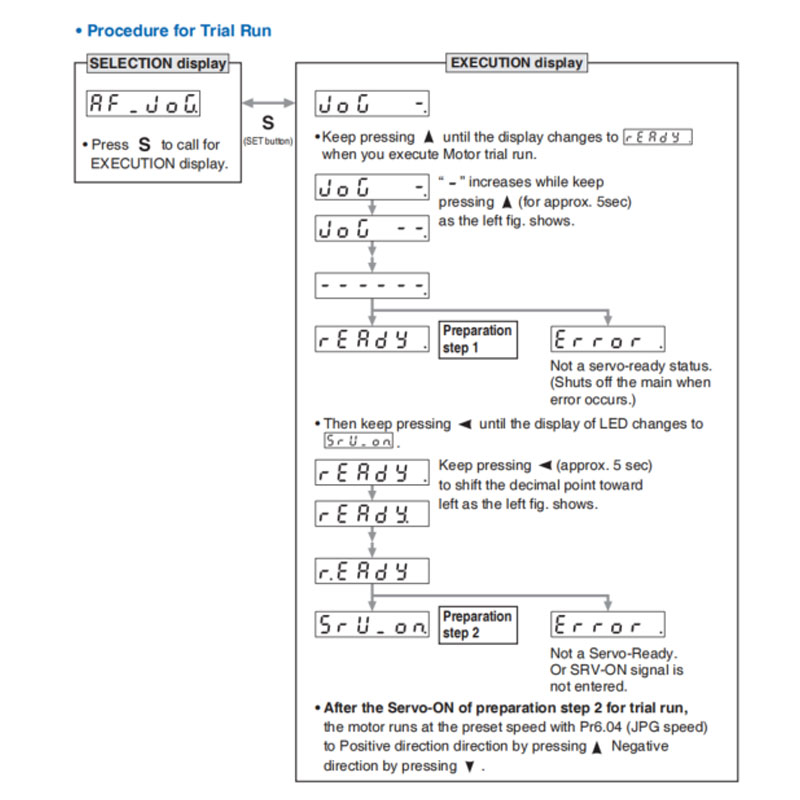
You can make a trial run (JOG run) without connecting the Connector, Connector X4 to the host controller such as PLC.
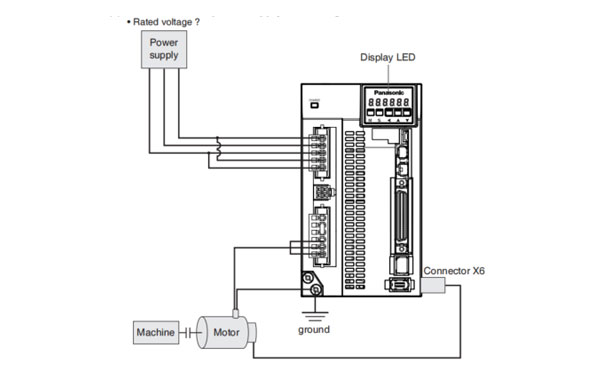
(1) Inspection on wiring
You can clear multi-turn data of the absolute encoder.
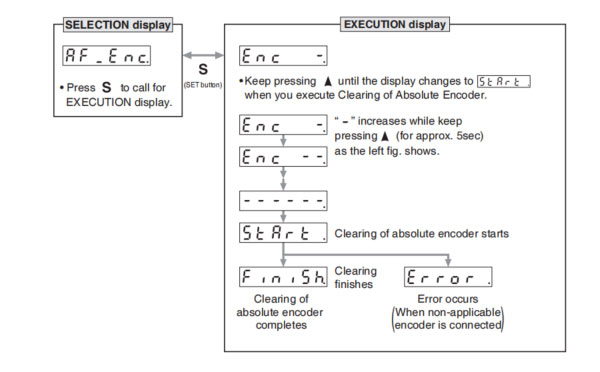
Note → • After clearing of absolute encoder finishes, return to SELECTION display, referring to structure of each mode (P.2-76).
Initialize the parameter.
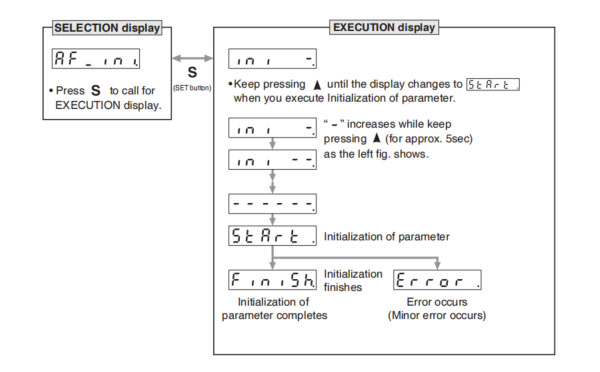
Release the front panel lock setting.
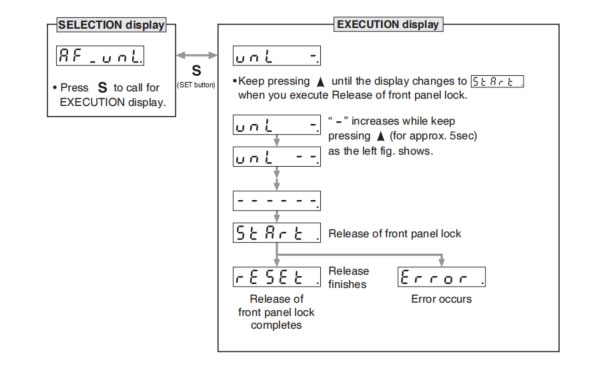
Note → • After release of front panel lock finishes, return to SELECTION display, referring to structure of each mode (P.2-76).
Battery refresh action is conducted.
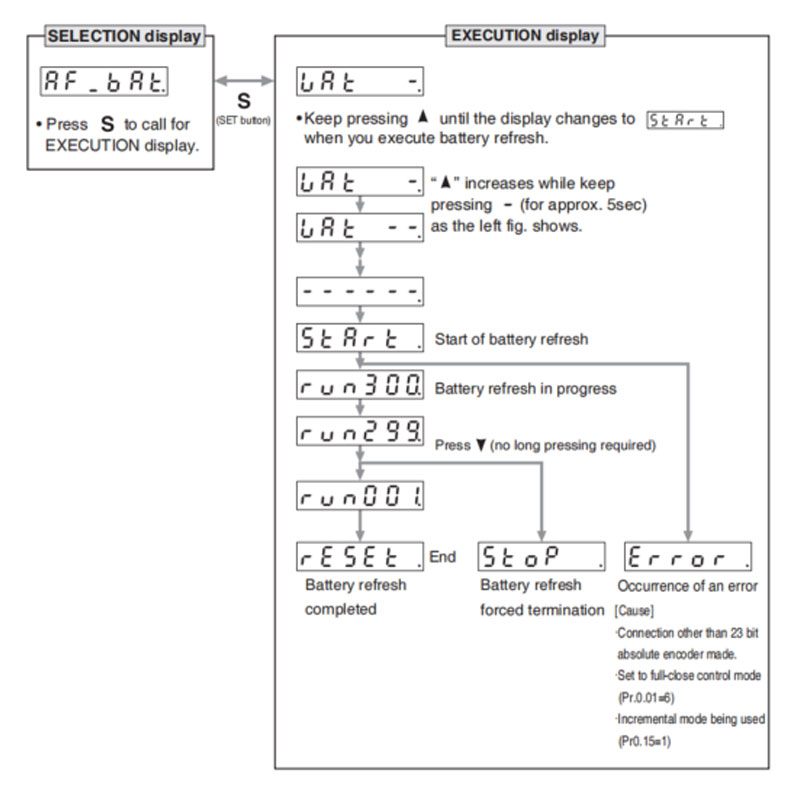
Note 1) When running Battery refresh, Battery alarm may occur in that case, please run the clear Battery alarm.
Note → • After release of front panel lock finishes, return to SELECTION display, referring to structure of each mode (P.2-76).


Contact SWITEK IML
sales06@switek.biz
+86 186 5927 5869

DongGuan, GuangDong, China
HuangYanZheng©Copy Right