sales06@switek.biz

+86 186 5927 5869

Shopping

Subscrib to Us
sales06@switek.biz
+86 186 5927 5869
Shopping
Subscrib to Us

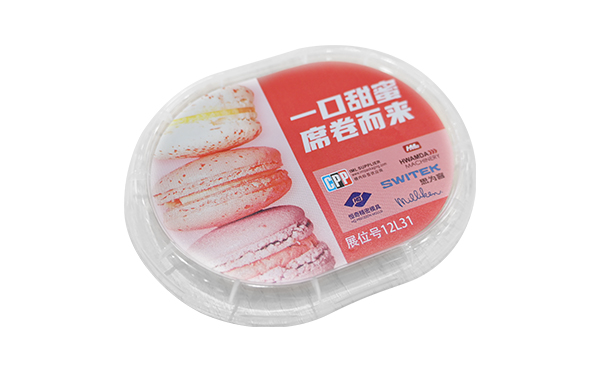
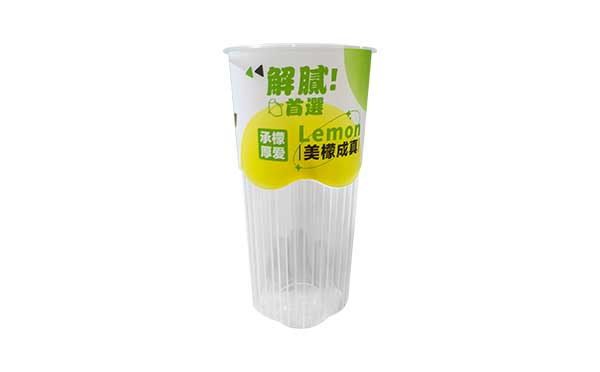
With the control system developed by the Austria automatic company SIGMATEK GmbH & Co KG, SWITEK high speed side entry IML robot is providing a more efficient and outstanding performance for your quality bulk production of the IML Yogurt Cups.
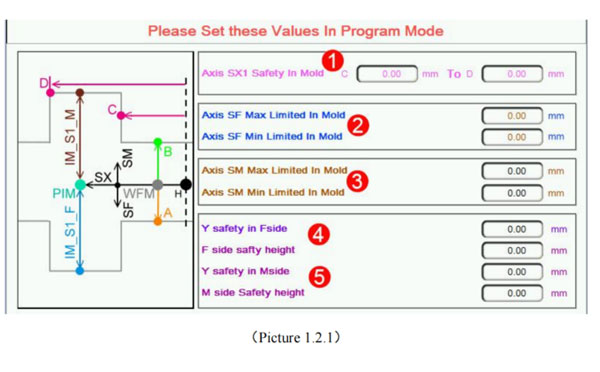
1.2.1 In Mold Safety Screen
Click  button into In Mold Safety screen, as the picture below 1.2.1;
Attention: Please Set these Values in program mode;
1.2.2 Standby Point Screen
Click  button to standby point screen as the picture below 1.2.2;
Attention: Please Set these Values in program mode
When modify the setting in this screen the Teach mode is needed;
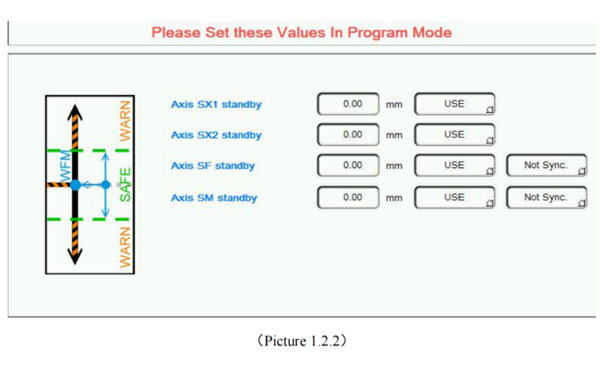
Standby position said robot in out-mold waiting for the injection molding machine module open, every axis position.
Use the option: This axis Whether to participate in standby movement. When choose to use, When standby running, the axis will run to the corresponding standby point position; When chose not to use, the axis is not affected by standby operation (continue to initial sstate action);
Seperate running options: Said when standby running of SF/SM, Whether with SX axis action; When choosing Separate running, the SX first run to the standby position, And then run SF/SM run to the standby point together (Precondition for the axis in standby movement).
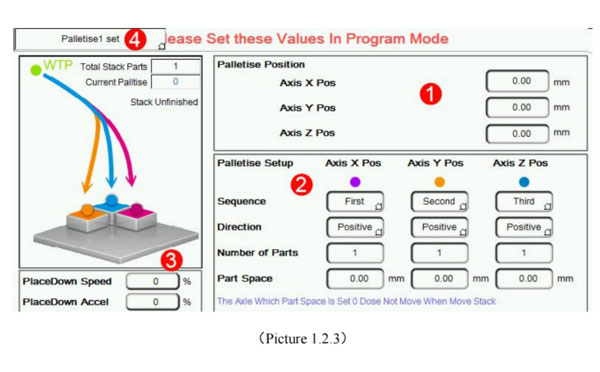
1.2.3 Stack Parts Screen
Click  button to Stack Parts Screen as the picture below 1.2.3;
Attention: Please Set these Values in program mode;
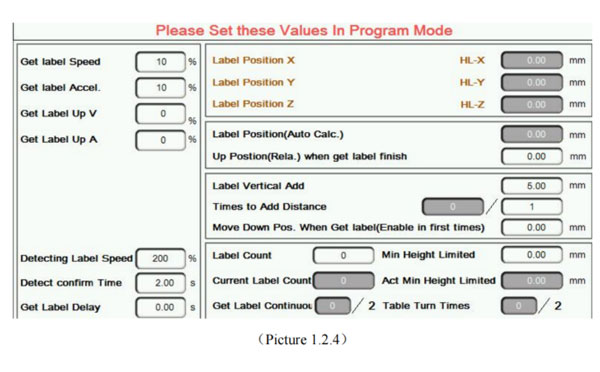
1.2.4 Get Label Screen
Click  button to get label screen as the picture below 1.2.4:
Attention: Please Set these Values in Program mode, get label case please see accessory 2.
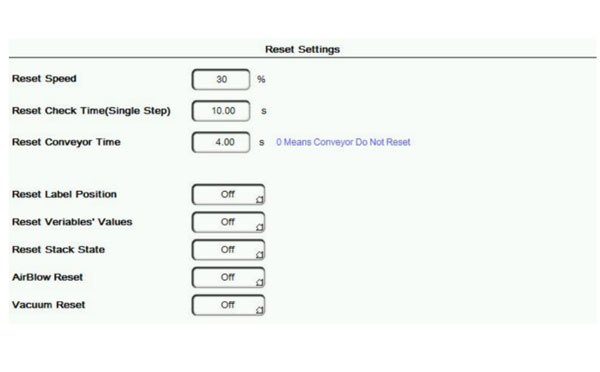
1.2.5 Reset Setting
Click  button to Reset Setting screen as the picture below 1.2.5:


Contact SWITEK IML
sales06@switek.biz
+86 186 5927 5869

DongGuan, GuangDong, China
HuangYanZheng©Copy Right