.

HIGH SPEED IML ROBOT

Keywords:Panasonic A6 Servo Installation Instruction, Panasonic A6 Driver, Panasonic A6 Series Servo Motor Manual

14. How to Use the Front Panel — Monitor Mode (EXECUTION display 17-27)

Abstract

To change the monitor display setting, select the display option to be changed from " SELECTION display", and press S to change to " EXECUTION display". After completion of changing, press S to return to the selection display.

(17) Display of External Scale Deviation [External Scale Unit]
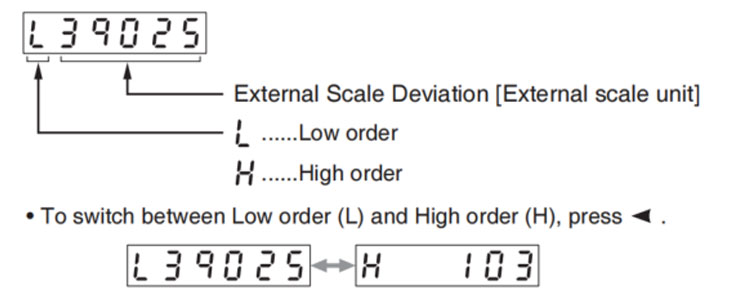
Panasonic A6 Servo Motor
(18) Display of hybrid deviation [Command unit]
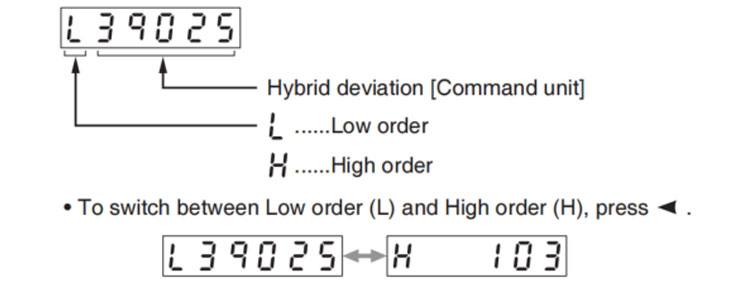
Panasonic A6 Servo Motor
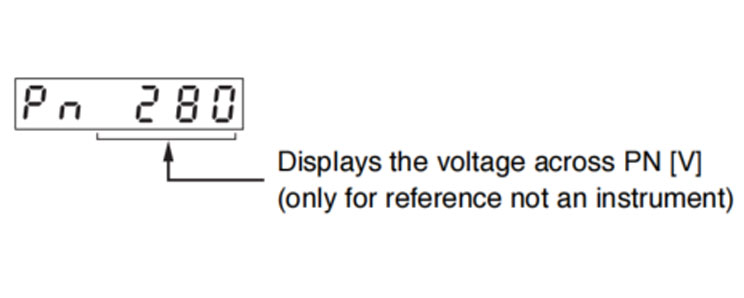
(19) Display of Voltage across PN[V]
Panasonic A6 Servo Motor
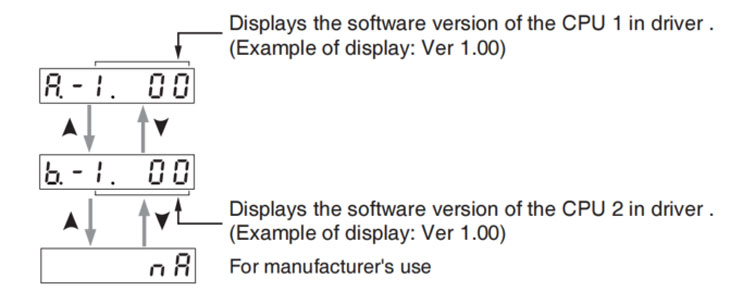
(20) Display of Software Version
Panasonic A6 Servo Motor
(21) Display of driver serial number
Panasonic A6 Servo Motor
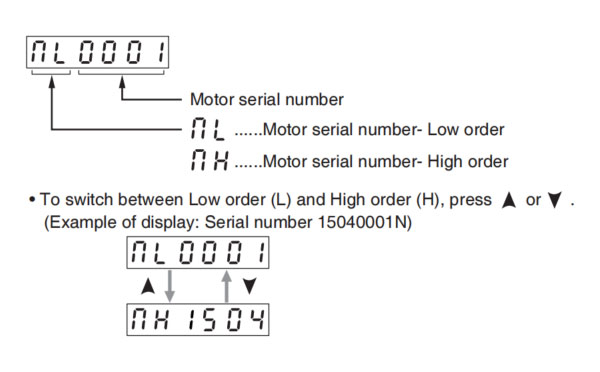
(22) Display of motor serial number
Panasonic A6 Servo Motor
(23) Display of accumulated operation time
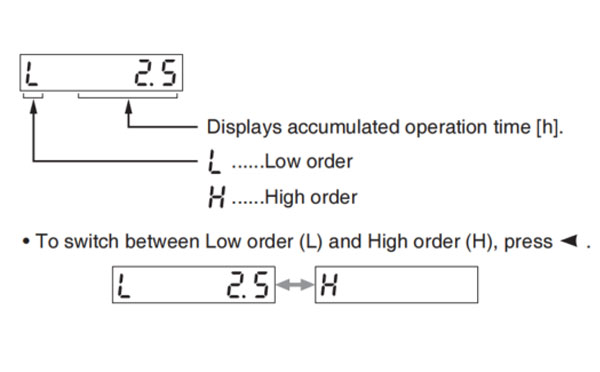
Panasonic A6 Servo Motor
(24) Automatic Motor Recognizing Function
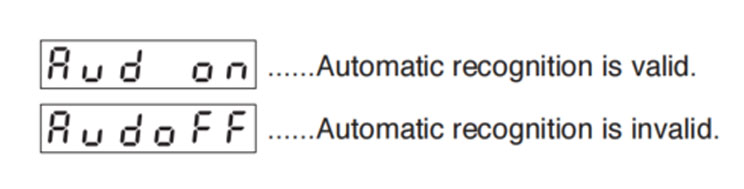
Panasonic A6 Servo Motor
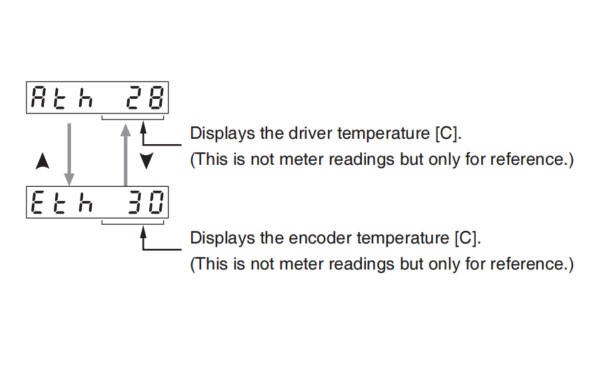
(25) Display of temperature
Panasonic A6 Servo Motor
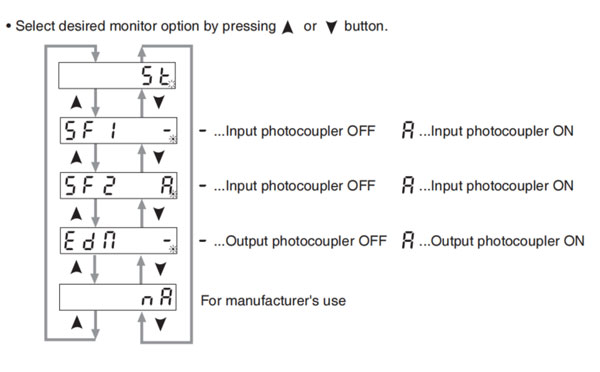
(26) Display of safety condition monitor
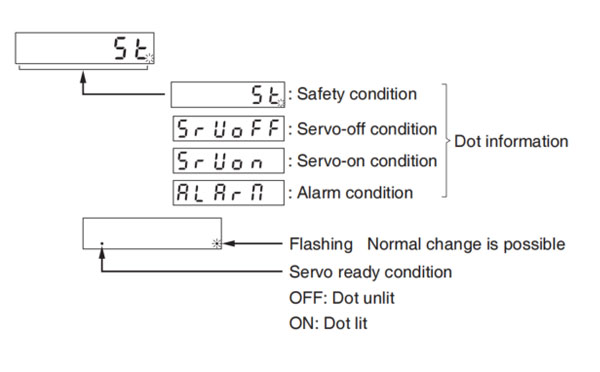
Panasonic A6 Servo Motor
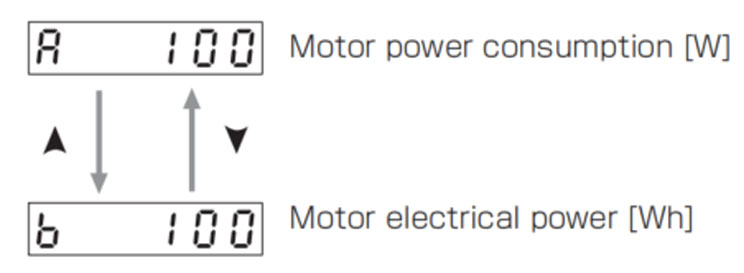
(27) Motor power consumption
Panasonic A6 Servo Motor

Precuations
If the monitor data is displayed with lower (L) and higher (H), displays the front panel are as follows.
Example 1) Monitor data = 15000 (within the display range of lower (L)).
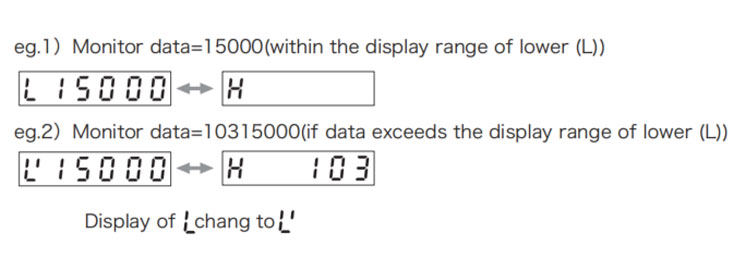
Panasonic A6 Servo Motor

Turn-key IML Solutions

WhatsApp

WeChat


Send Us An Inquiry Now
Submit

This unit of the websit is a platform for the Chinese manufacturer of injection molding machinery and technology for the global buyer to have a fast sourching reference of the injection molding machineries for their project. If you have any inquiry or have anything new in injection molding to share please feel free to contact the Blogger to start a win-win cooperation.

HuangYanZheng©Copy Right

Contact Blogger: +86 186 5927 5869

0.049258s